
Use cases
Using a few features together often solves a job that has no dedicated feature. These cases come from questions we received and common tasks, grouped by situation.
Logs and status
Bring logs and status from many places into one view.
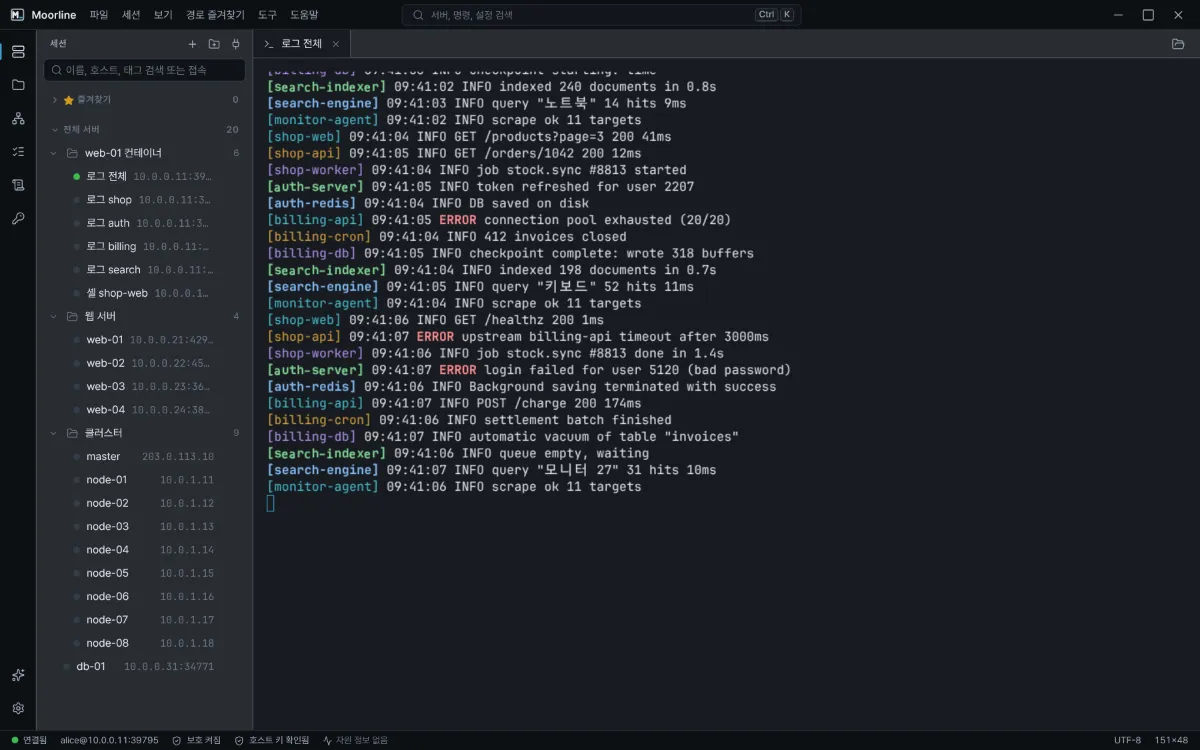
Many servers at once
Run the same task on many servers at once and compare the results.
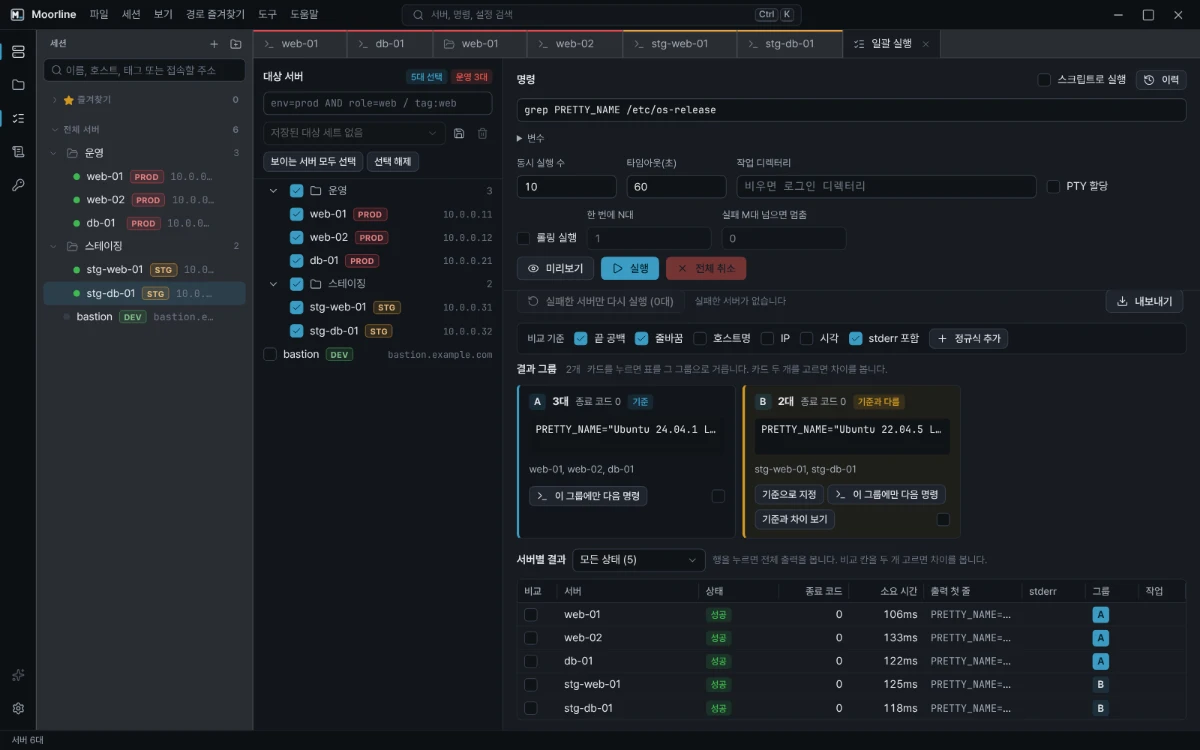
Spot only the unhealthy servers among dozens
Check disk usage, certificate expiry, and service status without logging in to each server. Run one command and look only at the servers that are not healthy.
Batch runResult groupsCompare with an earlier runExport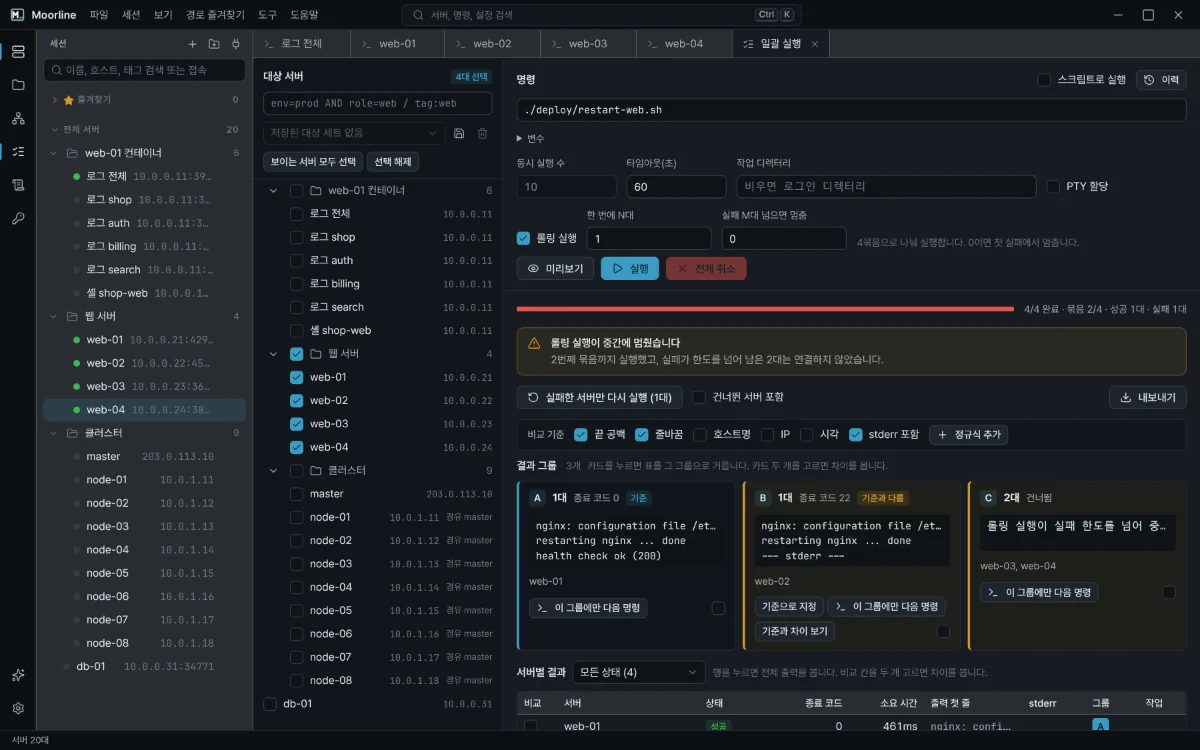 Many servers at once
Restart web servers one at a time and stop when something fails
Avoid the outage of restarting everything at once. Restart one server, check its health, move on to the next, and stop as soon as one fails.
Batch runRolling runRerun failed servers onlyDangerous command confirmation
Internal network access
Reach servers and services that are not directly accessible from outside through a jump host.
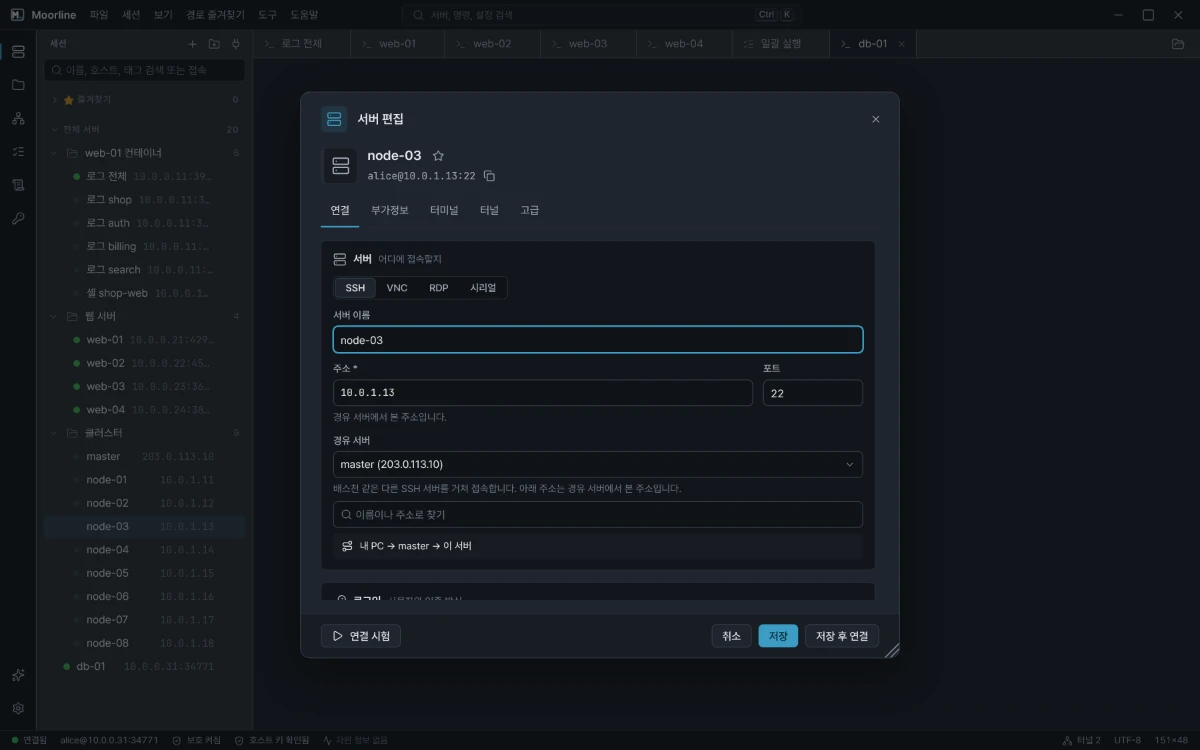 Internal network access
Reach the internal nodes of a cluster that only exposes its master
When only the master is reachable from outside and the other nodes sit on the internal network, connect to each node directly through the master and send one command to all of them at once.
Jump hostImport OpenSSH configBatch runSFTP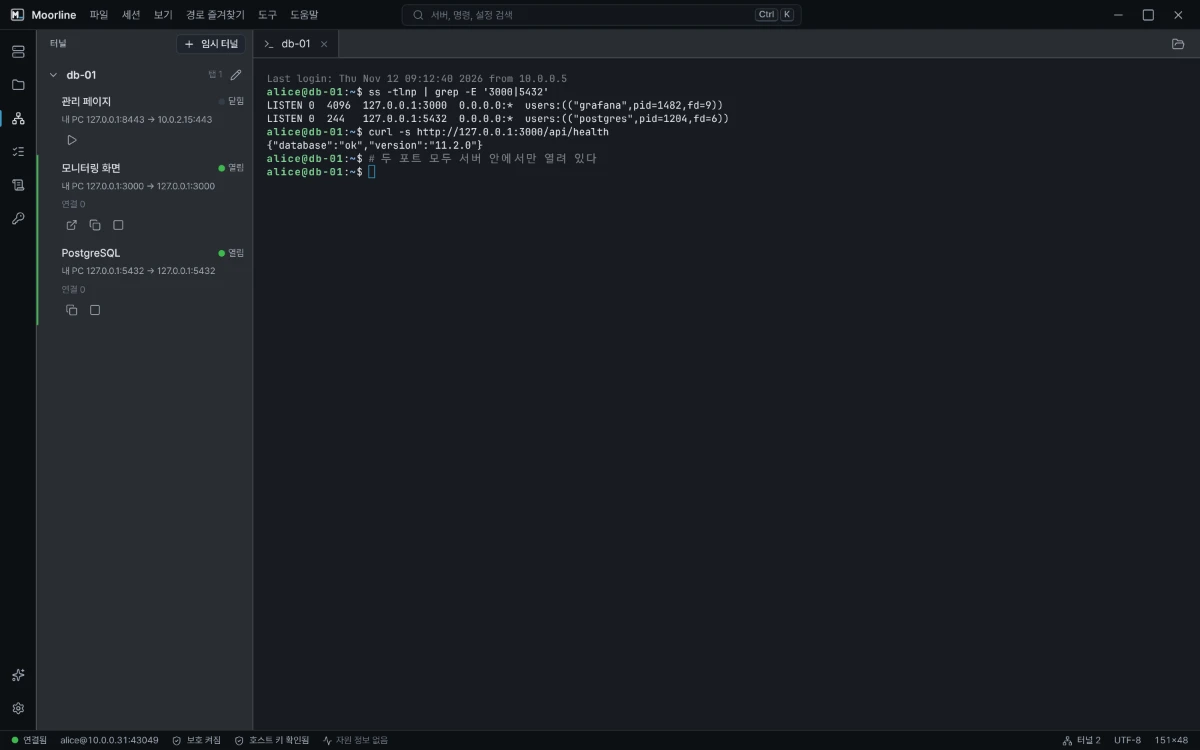 Internal network access
Open internal admin pages and databases on your own PC
Use admin pages and databases that only open from inside a server, from your own browser and tools, just by connecting to the server.
TunnelsOpen automatically when connectingJump host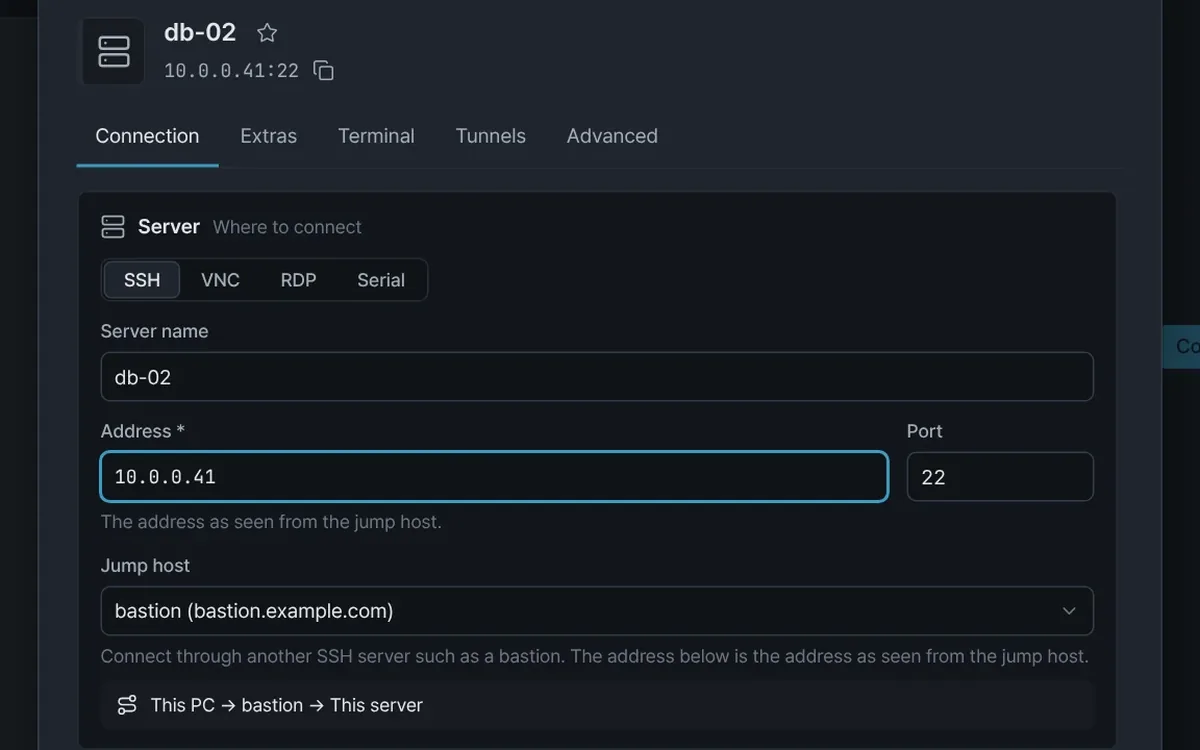 Internal network access
Reach an internal DB server through two bastions
For a DB server behind two bastion hosts, chain the jump hosts once and connect with a double-click. File transfer and tunnels take the same route.
Jump hostVaultTest connectionSFTPTunnel
Deployment and files
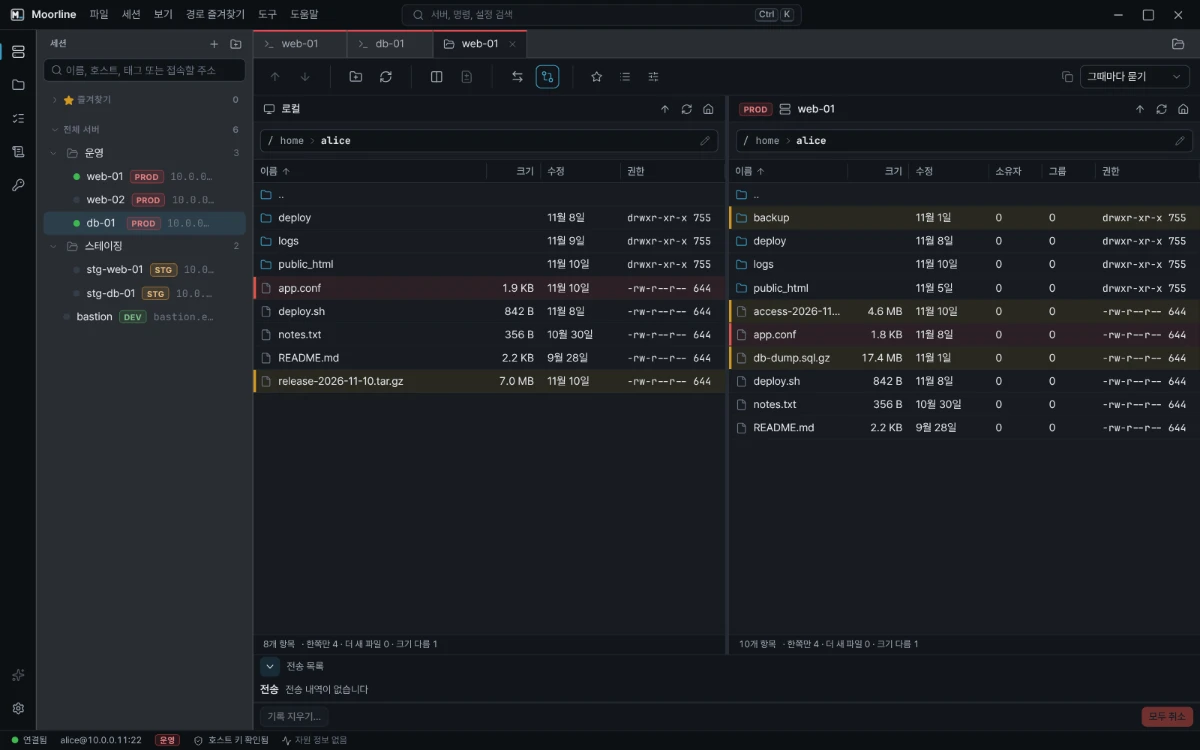
Check what differs before and after uploading, and move only what you need.
Working with AI
Have an AI explain errors and investigate servers. You approve every command that runs on a server.
 Working with AI
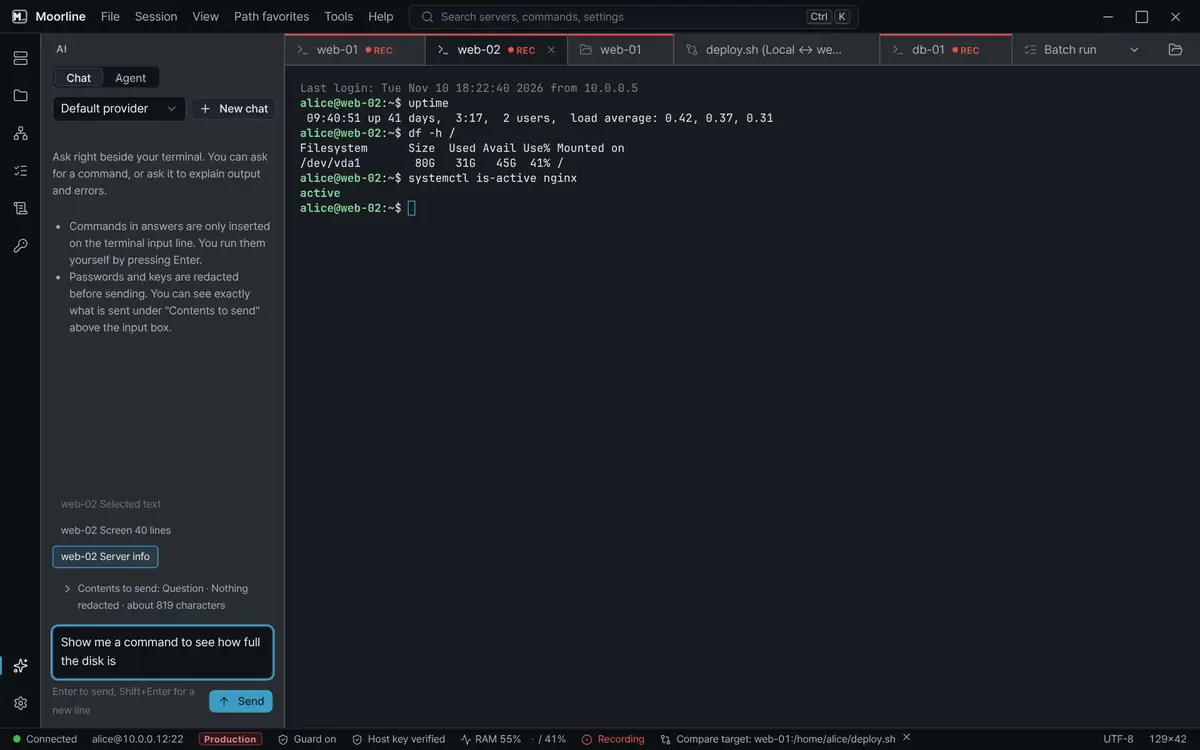
Get an AI explanation of an error and a command to fix it
Send an error from the terminal to the AI assistant and get an explanation of the cause. A suggested command is only placed on the input line, and you run it yourself.
AI assistantExplain the last errorPreview of what is sentSecret redaction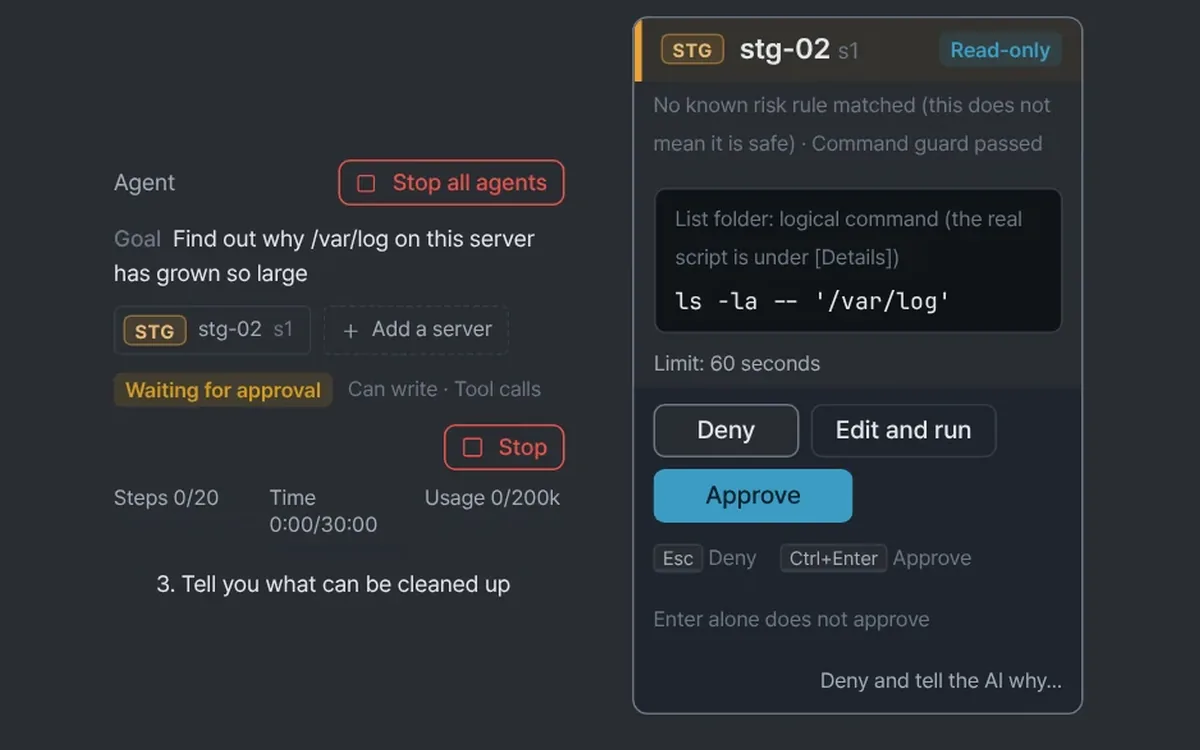 Working with AI
Have the AI agent find why a server's disk is full
On a server with a full disk, write only the goal and the AI agent proposes commands one at a time. Only the commands you approve run on the server.
AI agentApproval cardCommand guardStep limit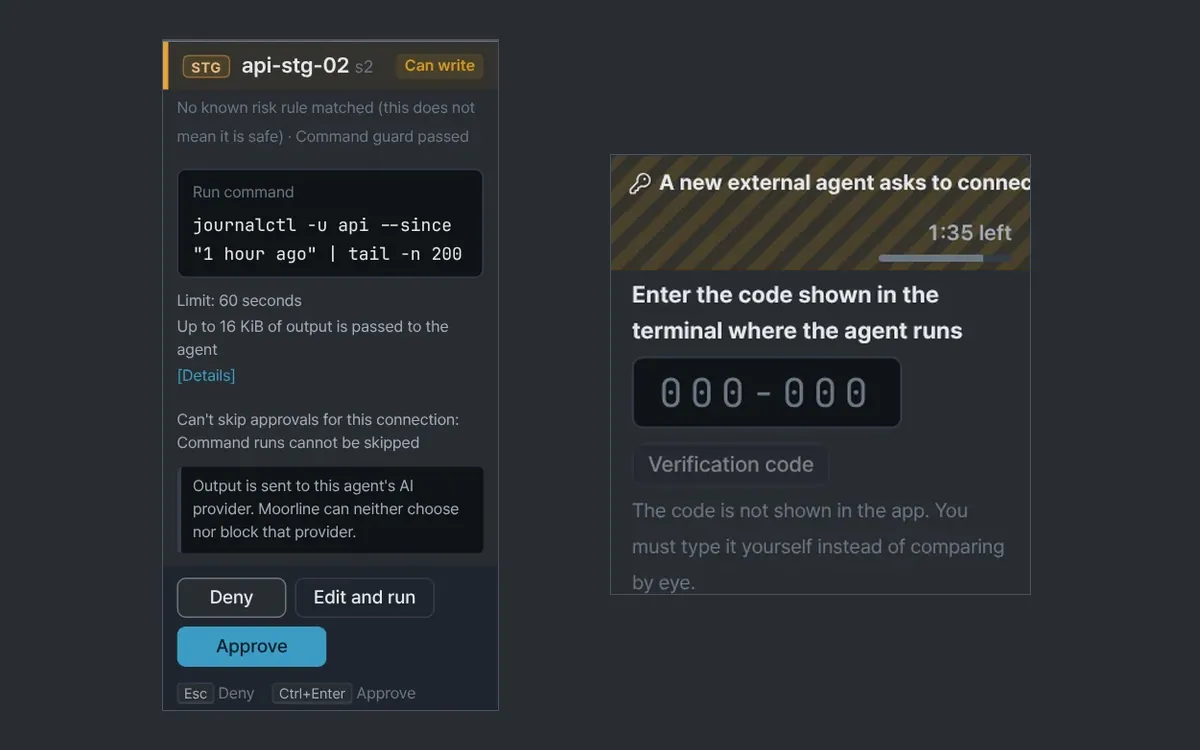 Working with AI
Check servers in your open SSH tabs from an AI tool you already use
Connect an AI tool that supports MCP to Moorline and it looks at the servers you have open. You approve each request that runs on a server.
External agent (MCP)PairingServer scopeRequests
Moving in
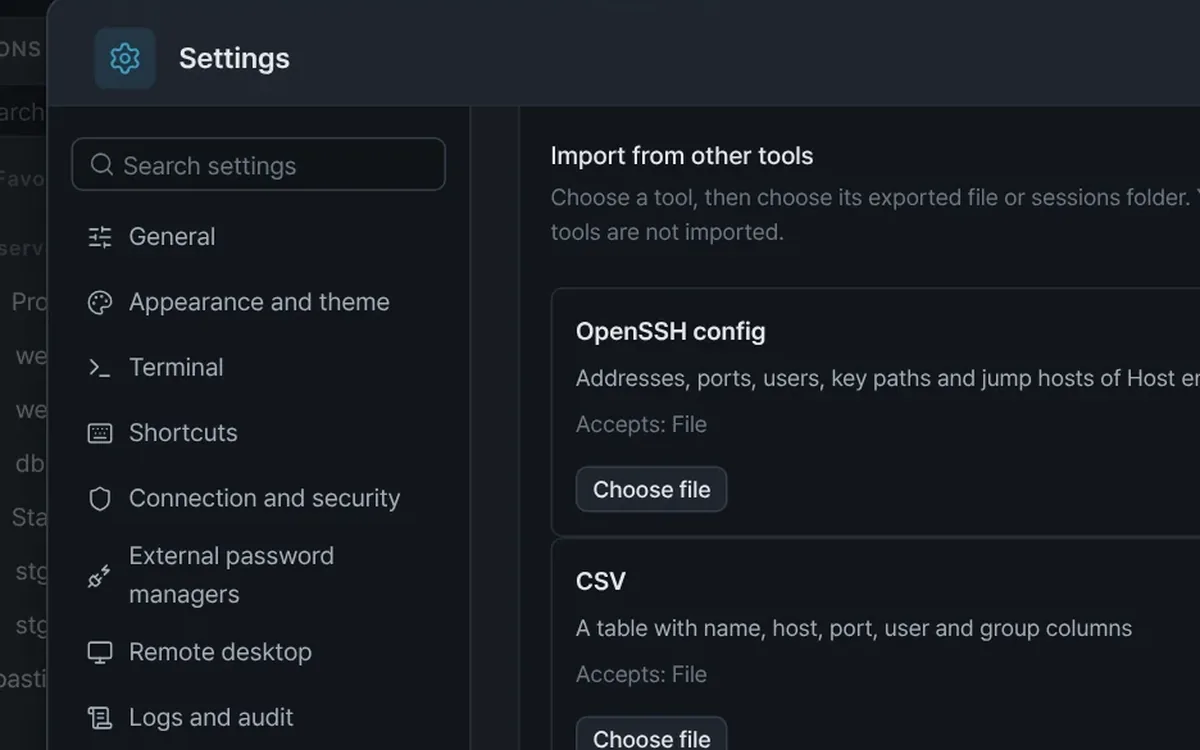
Bring the server list from the tool you used before into Moorline.
No matching use cases. Try different words.
If your situation is not here
Tell us the situation. We will look for a way to do it with the existing features and add it as a use case.